
GKC product
Email Archiver
Keep business correspondence with the records it belongs to.
Available for demonstrations and pilot discussions.
From an email to the right business record.
Email Archiver files messages to designated SharePoint or network locations using references such as project and contract numbers.
Project offices, accounting teams and other shared services can organize correspondence around the records they are responsible for.
Identify the record
Configured filing rules use business references in the message to match it to a project, contract or other record.
File the correspondence
The message is delivered to the SharePoint library or network folder selected for that record.
Use it where the work happens
Staff access the filed correspondence at those destinations, alongside the records they already use.
What it does
The aim is to make routine filing easier to maintain and keep correspondence available beyond an individual mailbox.
Uses include project and contract records, vendor-invoice correspondence and other business records with agreed filing rules.
- Files messages using configured references, tags and destinations
- Delivers to SharePoint or network locations
- Keeps message details with the filed correspondence
- Shows which messages have been filed and which need attention
- Provides tools to investigate and retry failed deliveries
A clear role for administration.
A designated administrator maintains the filing setup and resolves exceptions through a separate management application. This role can be handled by a suitably trained power user.
The Management Application registers record types, tags and destinations, and provides delivery status and troubleshooting tools. Email Search is a fallback when an administrator needs to trace a message.
Staff normally work with the filed records in SharePoint or network folders. They do not need to use the Management Application for everyday access.
Implementation details
The current product runs in Azure and integrates with Microsoft 365. A retained copy in Azure Blob Storage is independent of the originating mailbox. The implementation uses .NET, C#, Blazor, SQL Server, Azure Functions, Entra ID, Microsoft Graph, SharePoint, Service Bus, Queues and Blob Storage.
View administration screens
These views show exception handling and fallback search for a designated administrator.
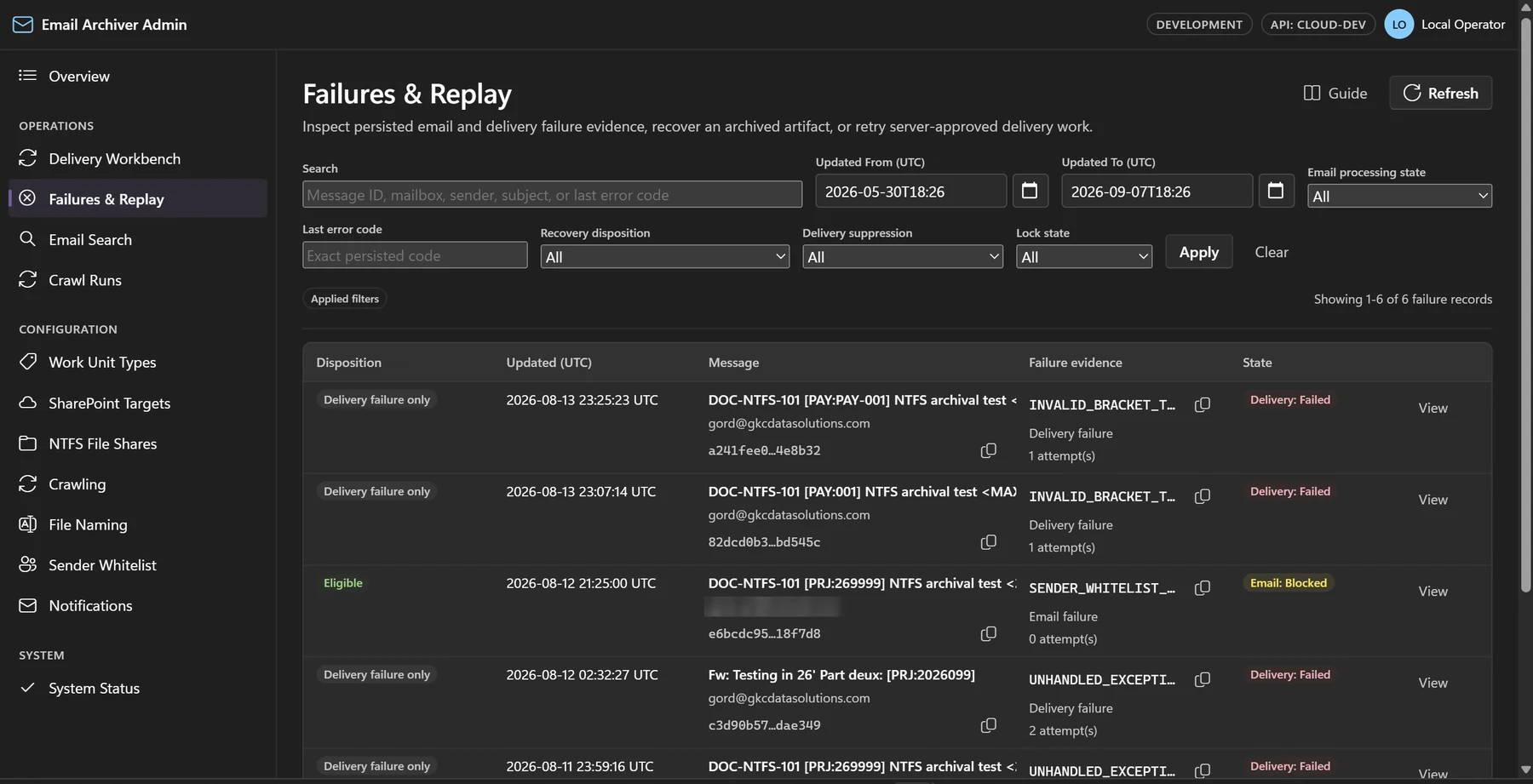 See the full screen
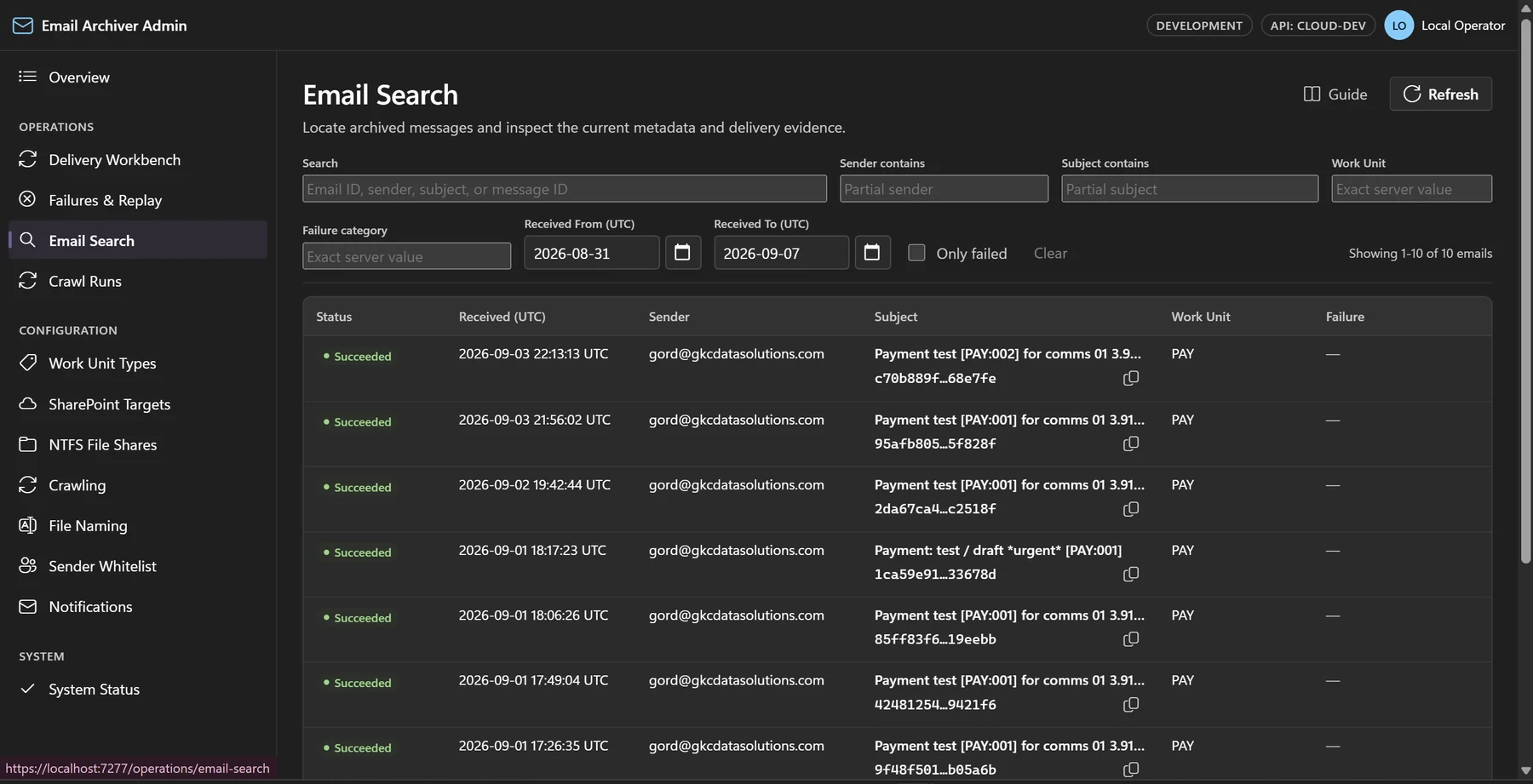 See the full screen
Earlier work at Allnorth
Experience supporting engineering project records.
While employed at Allnorth, I developed a project-email archive to help the firm meet APEGBC’s project-document retention requirements. It filed correspondence with the relevant project records, helping preserve access when employees left or past project decisions needed to be reviewed. APEGBC is now known as Engineers and Geoscientists BC.
That earlier Outlook/VBA system informs the current product’s approach to organizing business correspondence across projects, contracts and other records.
See how it could fit your records.
Arrange a demonstration or discuss a pilot around the correspondence, filing rules and destinations your team uses.